[video_ref] is the original video to extend forward for 30s.
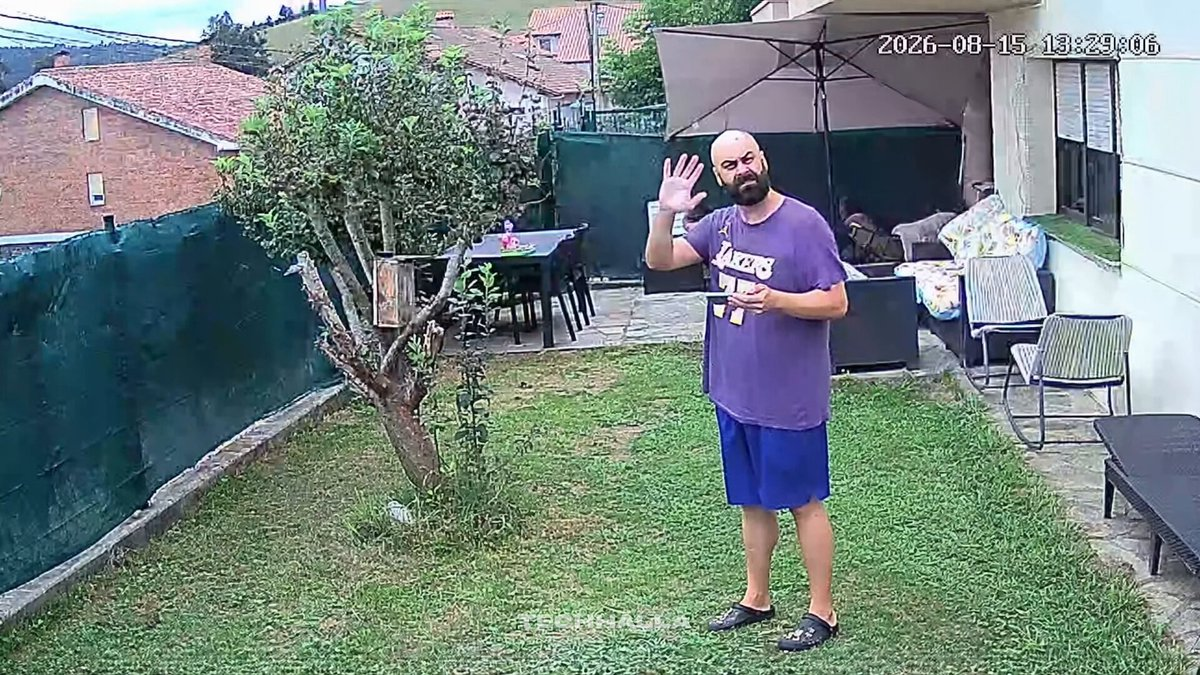
First frame of the extension must perfectly match the final frame of [video_ref]: bald bearded man in purple Lakers t-shirt and blue shorts standing on the grass, right hand raised waving, same pose, clothing, lighting and fixed security-camera framing. Camera stays completely locked and static the entire time.
0-8s: A giant chicken the same size as the man jumps the green fence from the left, lands and violently pecks him. The man raises his arms and protects himself while the chicken keeps hitting him hard. He finally falls unconscious on his back on the grass.
8-16s: A small normal-sized black cat (much smaller than the giant chicken) with a fat bushy tail jumps out from the right window, lands angry, arches its back and advances on the chicken. The chicken stops and starts backing away.
16-23s: The tiny cat lets out one extremely loud aggressive hiss. The giant chicken panics and flees back over the left fence, disappearing completely.
23-30s: The small cat walks to the unconscious man, places its paws on his chest and performs rapid resuscitation. The man suddenly gasps, eyes open and sits up abruptly. Cat sits calmly beside him.
Keep exact continuity of the man’s identity, clothing, the entire backyard, fixed camera angle and natural daylight from [video_ref].
Audio: quiet backyard ambience + chicken wing flaps and pecking, man’s grunts and body thud, loud cat hiss, scrambling as the chicken flees, soft chest compressions. No music, no subtitles.