On this page
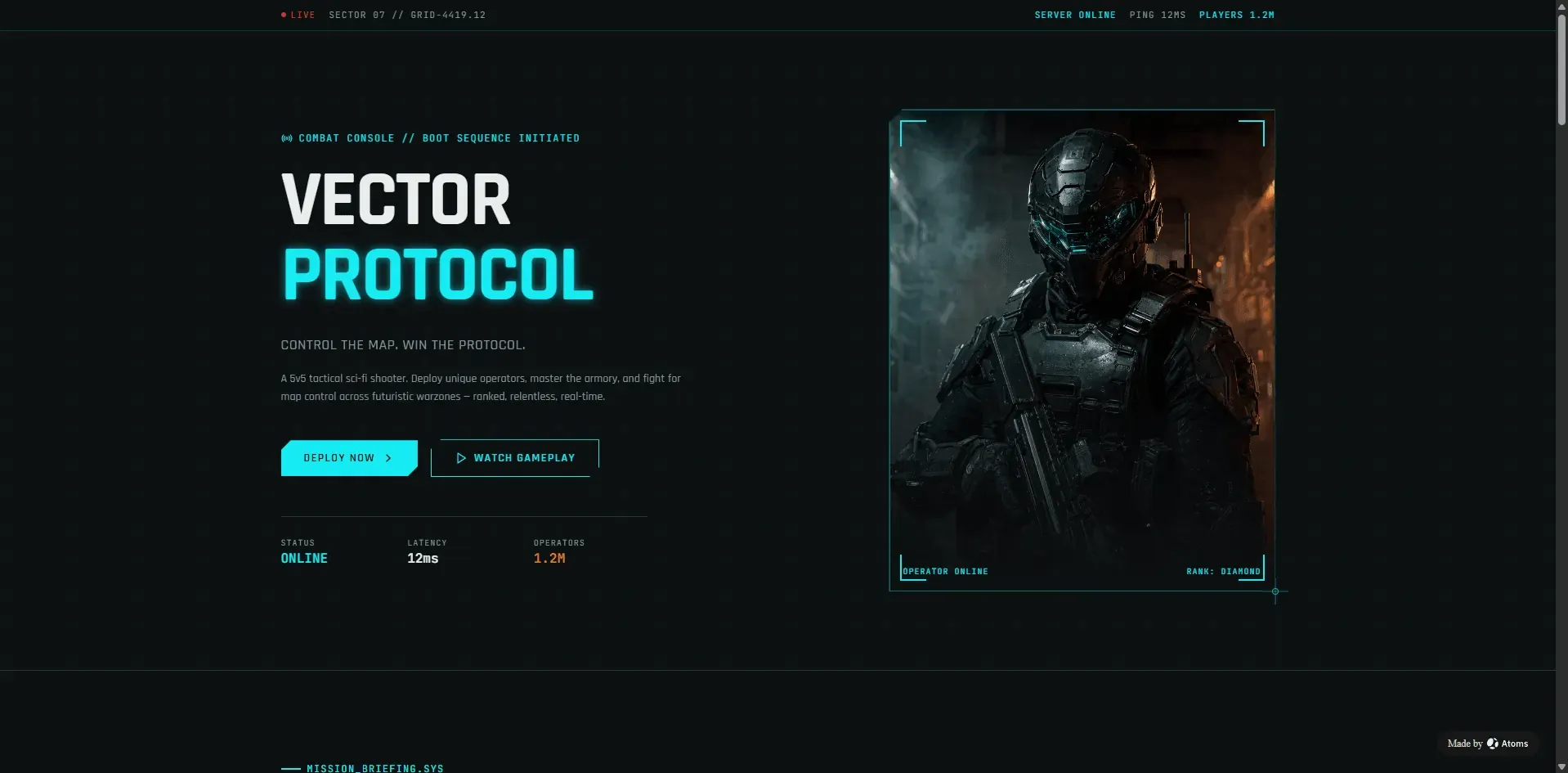
Public Atoms-built game concept: a coherent sci-fi world, game interface, status system, and playable entry points.
Start building a playable game with Atoms — describe the rules, loop, and win condition.
AI game generation has reached a more interesting problem than “can a model write a game?”
The harder question is:
Can AI turn a game idea into something a player can actually play, understand, finish, and keep iterating?
That question became more visible after a report on Spellcaster, a game-generation system from DarwinMind. The system is described as using six specialized agents to move beyond code generation: rules, levels, assets, playability, simulation, and repair.
The distinction matters because a game can compile, open in a browser, and still fail as a game. An enemy can animate without attacking. A platform can be higher than the player’s jump limit. A collision rule can work in isolation but make the level impossible. A small change to gravity can break every other object in the scene.
This is the playability gap: the distance between “the code runs” and “the game works as an interactive system.”
The short answer
AI game builders are moving from one-shot code generation toward a generate → playtest → diagnose → repair loop. The best workflow is not the one that produces the most code first. It is the one that can identify whether the player can make progress, whether the core interaction is meaningful, and whether a fix creates a new failure elsewhere.
Atoms approaches the same problem through an AI game builder workflow: describe the world, rules, player actions, win and lose conditions, target platform, and visual direction; then generate a playable browser game that can be tested and iterated.
No game engine or traditional coding workflow is required for a simple browser game. The important constraint is that the brief must describe a playable loop rather than only a visual theme.
Ready to build? Start with Atoms Game Builder — describe your genre, core loop, controls, and win condition, then get a playable browser prototype.
Why “the code runs” is not enough
Traditional software has relatively obvious failures:
- syntax error;
- failed build;
- missing import;
- crashed request;
- broken API response.
Games have a second category of failure: everything runs, but the experience is not playable.
Examples include:
- the player cannot reach the next platform;
- the enemy never enters a valid attack range;
- the game has no readable feedback after an action;
- a required item never spawns;
- the level has a mathematically impossible route;
- the difficulty spikes before the player learns the controls;
- the win condition is unreachable;
- the lose condition triggers without a clear cause;
- an asset is technically loaded but visually inconsistent;
- a repair fixes one mechanic and breaks another.
A compiler cannot detect all of these. The system needs to run the game and inspect the player’s path through it.
The playability black hole
A generated game usually has several interacting systems:
Each subsystem can look correct on its own while the combined game fails.
A runner may have a working jump function, but no jumpable obstacle sequence. A shooter may render enemies, but the projectile hitbox may never intersect them. A tower-defense game may spawn units correctly, but the resource economy may make every strategy fail.
This is why AI game development needs runtime verification, not only static code review.

Public Atoms-built example: Emberleaf demonstrates a story-driven game presentation with a distinct visual world and clear entry actions.
What a six-agent game workflow changes
The reported Spellcaster approach separates the game-production job into specialized responsibilities:
| Agent role | Responsibility |
|---|---|
| Rule Agent | Rules, abilities, win conditions, lose conditions, and game state |
| Level Agent | Map layout, progression, routes, difficulty, and reachability |
| Asset Agent | Visual assets, consistency, and scene assembly |
| Playability Agent | Core interactions, player paths, and whether a round can be completed |
| Simulation Agent | Runtime behavior, edge cases, collisions, and impossible states |
| Repair Agent | Diagnose whether a failure belongs to rules, numbers, levels, assets, or code, then apply a local fix |
The exact implementation and production maturity of any external system should be verified independently. But the division exposes an important design pattern:
A game-building agent needs critics and simulators, not just a generator.
Generate → run → check → repair
A useful AI game workflow looks like this:
The system should not regenerate the whole game after every small issue. If the player cannot reach a platform, inspect jump height, gravity, platform position, and collision bounds before changing unrelated systems.
If an enemy does not attack, check:
- detection radius;
- line of sight;
- cooldown;
- target selection;
- attack animation event;
- damage application;
- player invulnerability state.
A good repair preserves working behavior.
Game types that fit AI generation best
AI game builders are most useful when the game has a clear loop and bounded state.
Platformers
Useful requirements:
- player movement;
- jump rules;
- platform reachability;
- checkpoint behavior;
- enemy collision;
- win condition.
Runners
Useful requirements:
- forward movement;
- obstacle timing;
- score progression;
- speed curve;
- restart behavior;
- difficulty ramp.
Puzzle games
Useful requirements:
- valid moves;
- puzzle state;
- reset behavior;
- hint or feedback system;
- solved state;
- unsolved recovery.
Tower defense
Useful requirements:
- pathing;
- spawn schedule;
- tower range;
- resource economy;
- wave completion;
- base health.
Dungeon roguelikes
Useful requirements:
- room generation;
- combat loop;
- item rules;
- health and damage;
- progression;
- death and restart.
Bullet-hell games
Useful requirements:
- projectile patterns;
- collision tolerance;
- movement limits;
- damage cooldown;
- readable warnings;
- boss phase transitions.
The more precisely these rules are stated, the more useful the generated prototype becomes.
A strong AI game builder prompt
Use a prompt that describes the game as a system:
This is much stronger than:
The first prompt gives the builder acceptance criteria. The second gives it an aesthetic direction but no testable game.
Build a game from this prompt in Atoms — edit the title, genre, controls, and mechanics before you start.
Playability tests every generated game should pass
Start test
- Does the game explain the controls?
- Can a player start without guessing?
- Is the first objective visible?
Input test
- Do movement controls work?
- Does the game respond once per intended action?
- Are keyboard and touch controls consistent where supported?
Progress test
- Can the player reach the first objective?
- Does the next state unlock correctly?
- Does the player receive useful feedback?
Collision test
- Are walls, hazards, enemies, and collectibles consistent?
- Can the player become trapped?
- Are hitboxes fair and understandable?
Win test
- Is the win condition reachable?
- Does the game recognize success?
- Does the success state explain what happened?
Lose test
- Is failure caused by a visible rule?
- Does the player understand why the run ended?
- Can the player restart without refreshing the page?
Regression test
- Did a change to movement break level reachability?
- Did a new enemy break the difficulty curve?
- Did new assets change collision or layout?
- Do old levels still work after a new feature is added?
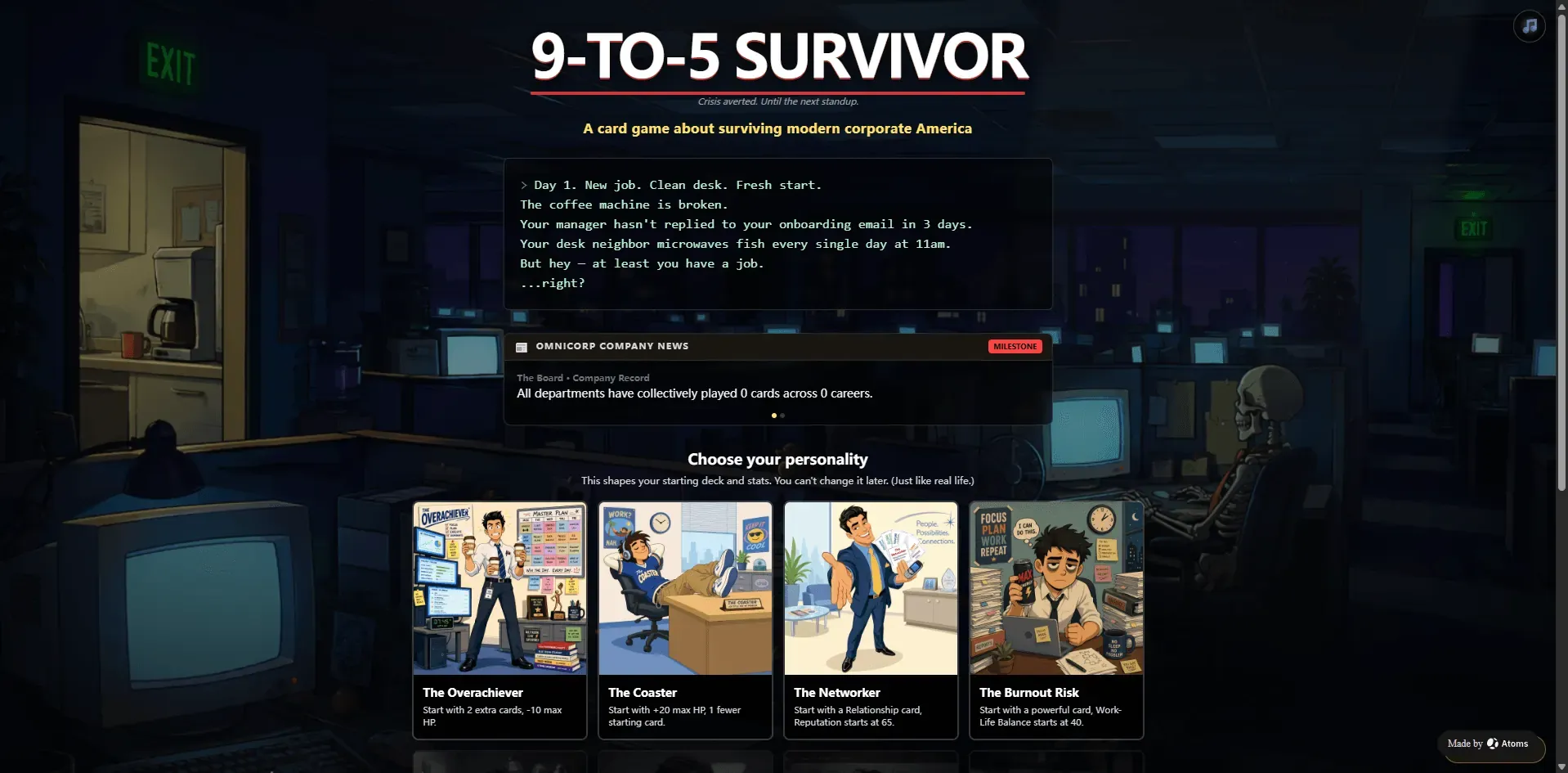
Public Atoms-built example: 9-to-5 Survivor presents player choices, cards, stats, and progression cues. Inspect the live project before drawing conclusions about a specific build.
Atoms Game Builder: from words to a playable browser game
Atoms Game Builder is designed for the gap between an idea and an interactive prototype.
The workflow begins with a short description of:
- game title;
- genre;
- core loop;
- win condition;
- lose condition;
- setting;
- player actions;
- target platform.
Atoms then turns the brief into a playable browser experience that can be shared and iterated.
Create your first game free in Atoms
Start here if you want a browser game, not a code snippet.
This is useful for:
- validating a game idea before investing in an engine;
- testing a mechanic with real players;
- turning an interactive story into a playable prototype;
- exploring a meme or concept quickly;
- building a small browser game for a community;
- experimenting with puzzle, runner, clicker, shooter, platformer, or text-adventure loops.
For a broader game-development workflow, see AI Game Development with Atoms. For a text-first approach, see Text-to-Game AI.
Atoms versus a one-shot code generator
| Workflow | One-shot code generator | Atoms Game Builder |
|---|---|---|
| Input | Usually a visual or feature prompt | Game brief with rules, loop, controls, and conditions |
| First output | Code or a playable-looking page | Playable browser prototype workflow |
| Validation | Often left to the user | Build, preview, test, and iterate in the project workflow |
| Failure handling | Regenerate or manually debug | Describe the broken mechanic and refine the project |
| Game scope | Often a single demo | Small games that can be shared and grown |
| Engine requirement | May require a separate engine | Browser-first mini-game path |
| Technical depth | Depends on generated code | Inspect and extend the generated project as requirements grow |
Atoms does not replace every professional game engine or every production game team. It provides a faster path for early playable validation and browser-based game projects.
The next step: from code generation to world generation
The current generation path is still mostly:
The next direction is world-model interaction:
That future could make the game world more dynamic, but it also raises harder requirements:
- state consistency;
- latency;
- reproducibility;
- player safety;
- persistence;
- evaluation;
- cost;
- controllable rules.
Until those systems mature, code-generated games remain valuable because their rules can be inspected, tested, repaired, and owned.
Frequently asked questions
01Can AI build a playable game?
Yes, especially for bounded browser games with clear rules, controls, and win/lose conditions. A generated game still needs playability testing.
02What is an AI game builder?
An AI game builder turns a natural-language game brief into an interactive game prototype or project. The quality depends on how well the prompt specifies mechanics and acceptance criteria.
03Can I make a game without an engine?
For simple browser games, an AI game builder can provide a browser-first path without requiring prior engine skills. Larger commercial games may still require a specialized engine and production pipeline.
04What kinds of games can Atoms build?
Atoms can help create browser-based mini games such as puzzles, runners, clickers, shooters, platformers, text adventures, and other bounded interactive prototypes. Start with a clear core loop.
05Does Atoms test whether a game is fun?
No platform can automatically establish that a game is fun for every audience. Atoms can help create and iterate the playable system; human playtesting remains necessary for enjoyment, balance, and audience fit.
06Can I share an Atoms-built game?
The Atoms Game Builder page describes playable browser games that can be shared. Verify the current publishing and sharing options in the workspace before promising a specific distribution path.
07Can I keep modifying the game?
Yes. The intended workflow is iterative: adjust mechanics, difficulty, controls, levels, visuals, or content in the project rather than starting from scratch each time.
Final takeaway
The next important milestone in AI game generation is not another game that opens in a browser. It is a system that understands whether the game can be played.
Spellcaster’s reported six-agent pattern makes the direction visible: separate rules, levels, assets, playability, simulation, and repair instead of treating generation as one isolated code-writing step.
Atoms Game Builder applies the practical version of that idea to browser-first game creation: describe the world and the loop, get a playable prototype, test it with real players, and keep iterating.
The standard has moved from:
to:
